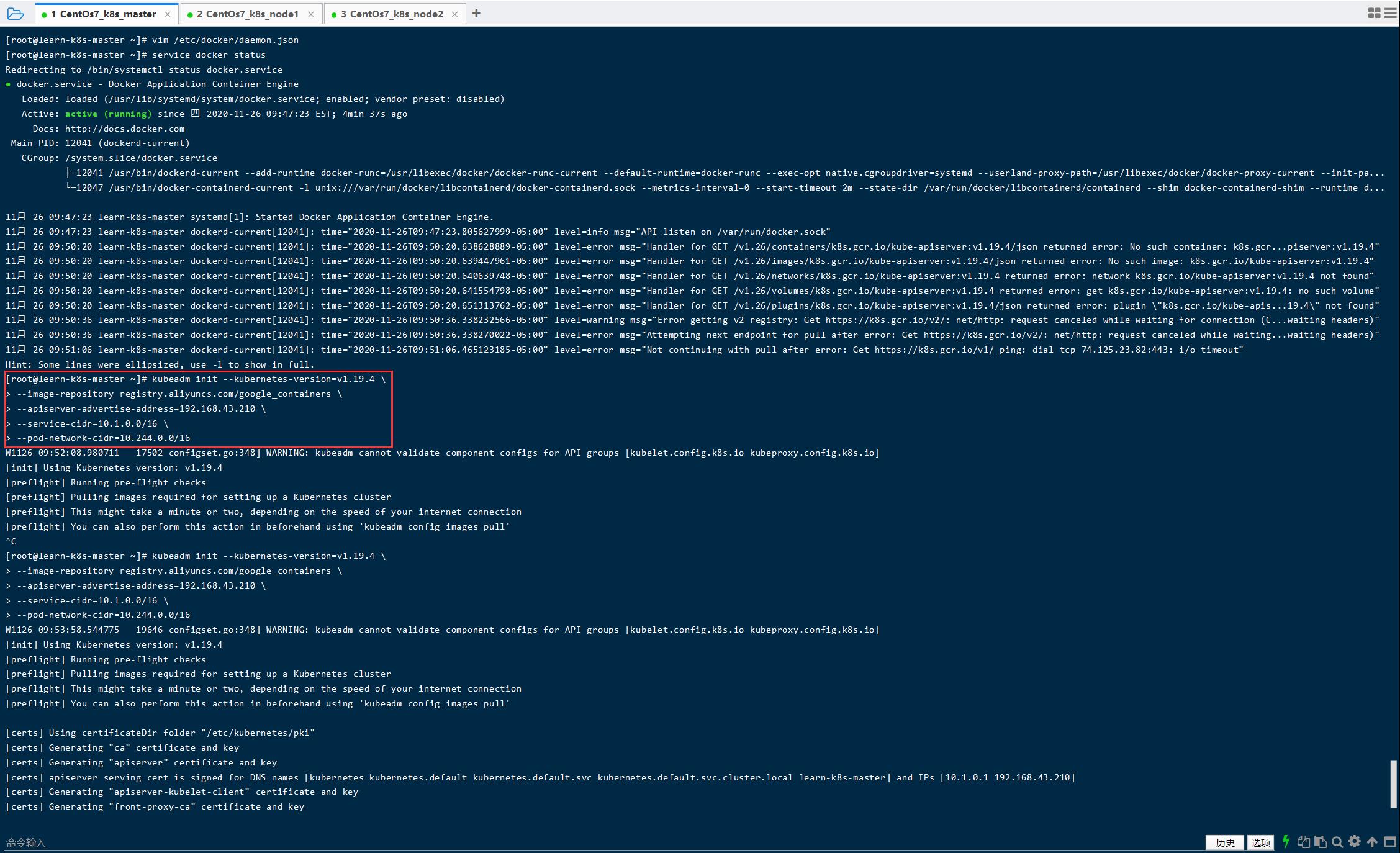
[root@learn-k8s-master ~]# kubeadm init --kubernetes-version=v1.19.4 \ > --image-repository registry.aliyuncs.com/google_containers \ > --apiserver-advertise-address=192.168.43.210 \ > --service-cidr=10.1.0.0/16 \ > --pod-network-cidr=10.244.0.0/16 W1126 09:53:58.544775 19646 configset.go:348] WARNING: kubeadm cannot validate component configs for API groups [kubelet.config.k8s.io kubeproxy.config.k8s.io] [init] Using Kubernetes version: v1.19.4 [preflight] Running pre-flight checks [preflight] Pulling images required for setting up a Kubernetes cluster [preflight] This might take a minute or two, depending on the speed of your internet connection [preflight] You can also perform this action in beforehand using 'kubeadm config images pull'
[certs] Using certificateDir folder "/etc/kubernetes/pki" [certs] Generating "ca" certificate and key [certs] Generating "apiserver" certificate and key [certs] apiserver serving cert is signed for DNS names [kubernetes kubernetes.default kubernetes.default.svc kubernetes.default.svc.cluster.local learn-k8s-master] and IPs [10.1.0.1 192.168.43.210] [certs] Generating "apiserver-kubelet-client" certificate and key [certs] Generating "front-proxy-ca" certificate and key [certs] Generating "front-proxy-client" certificate and key [certs] Generating "etcd/ca" certificate and key [certs] Generating "etcd/server" certificate and key [certs] etcd/server serving cert is signed for DNS names [learn-k8s-master localhost] and IPs [192.168.43.210 127.0.0.1 ::1] [certs] Generating "etcd/peer" certificate and key [certs] etcd/peer serving cert is signed for DNS names [learn-k8s-master localhost] and IPs [192.168.43.210 127.0.0.1 ::1] [certs] Generating "etcd/healthcheck-client" certificate and key [certs] Generating "apiserver-etcd-client" certificate and key [certs] Generating "sa" key and public key [kubeconfig] Using kubeconfig folder "/etc/kubernetes" [kubeconfig] Writing "admin.conf" kubeconfig file [kubeconfig] Writing "kubelet.conf" kubeconfig file [kubeconfig] Writing "controller-manager.conf" kubeconfig file [kubeconfig] Writing "scheduler.conf" kubeconfig file [kubelet-start] Writing kubelet environment file with flags to file "/var/lib/kubelet/kubeadm-flags.env" [kubelet-start] Writing kubelet configuration to file "/var/lib/kubelet/config.yaml" [kubelet-start] Starting the kubelet [control-plane] Using manifest folder "/etc/kubernetes/manifests" [control-plane] Creating static Pod manifest for"kube-apiserver" [control-plane] Creating static Pod manifest for"kube-controller-manager" [control-plane] Creating static Pod manifest for"kube-scheduler" [etcd] Creating static Pod manifest forlocal etcd in"/etc/kubernetes/manifests" [wait-control-plane] Waiting for the kubelet to boot up the control plane as static Pods from directory "/etc/kubernetes/manifests". This can take up to 4m0s [apiclient] All control plane components are healthy after 19.003611 seconds [upload-config] Storing the configuration used in ConfigMap "kubeadm-config"in the "kube-system" Namespace [kubelet] Creating a ConfigMap "kubelet-config-1.19"in namespace kube-system with the configuration for the kubelets in the cluster [upload-certs] Skipping phase. Please see --upload-certs [mark-control-plane] Marking the node learn-k8s-master as control-plane by adding the label "node-role.kubernetes.io/master=''" [mark-control-plane] Marking the node learn-k8s-master as control-plane by adding the taints [node-role.kubernetes.io/master:NoSchedule] [bootstrap-token] Using token: ev6351.4vdcer0778qg6zk7 [bootstrap-token] Configuring bootstrap tokens, cluster-info ConfigMap, RBAC Roles [bootstrap-token] configured RBAC rules to allow Node Bootstrap tokens to get nodes [bootstrap-token] configured RBAC rules to allow Node Bootstrap tokens to post CSRs in order for nodes to get long term certificate credentials [bootstrap-token] configured RBAC rules to allow the csrapprover controller automatically approve CSRs from a Node Bootstrap Token [bootstrap-token] configured RBAC rules to allow certificate rotation for all node client certificates in the cluster [bootstrap-token] Creating the "cluster-info" ConfigMap in the "kube-public" namespace [kubelet-finalize] Updating "/etc/kubernetes/kubelet.conf" to point to a rotatable kubelet client certificate and key [addons] Applied essential addon: CoreDNS [addons] Applied essential addon: kube-proxy
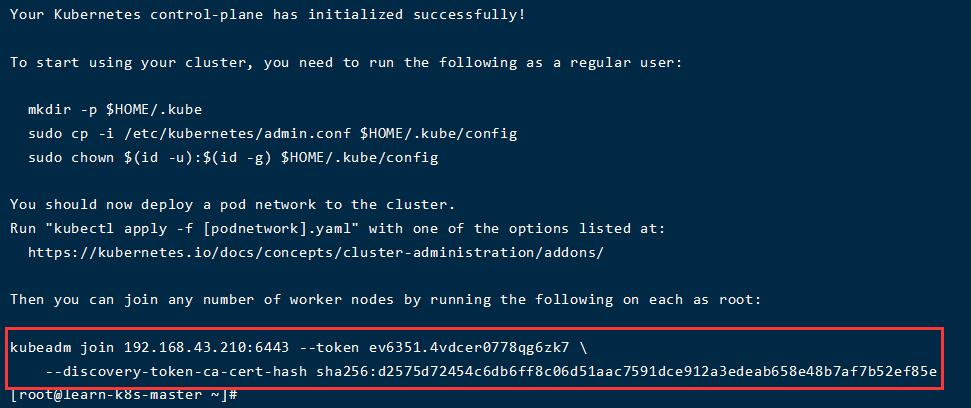
Your Kubernetes control-plane has initialized successfully!
To start using your cluster, you need to run the following as a regular user:
You should now deploy a pod network to the cluster. Run "kubectl apply -f [podnetwork].yaml" with one of the options listed at: https://kubernetes.io/docs/concepts/cluster-administration/addons/
Then you can join any number of worker nodes by running the following on each as root:
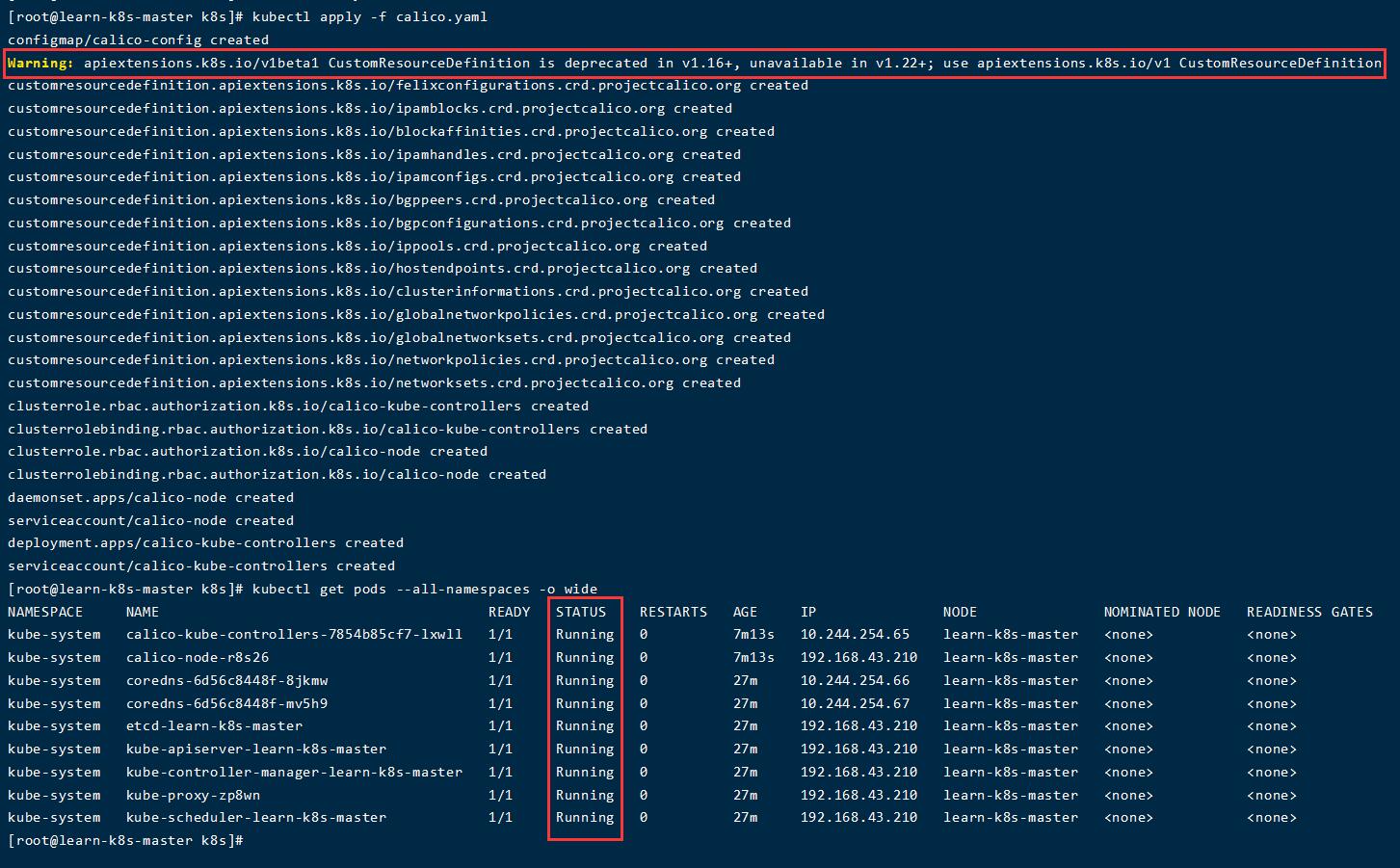
Warning: apiextensions.k8s.io/v1beta1 CustomResourceDefinition is deprecated in v1.16+, unavailable in v1.22+; use apiextensions.k8s.io/v1 CustomResourceDefinition
在 Kubenetes v1.9 中,添加了一个新特性,允许 Kubernetes API 服务器向 API 客户机发送警告。对于已经弃用的 API 发出警告
查看所有 Pod 的状态
1
kubectl get pods --all-namespaces -o wide
Slave 节点配置
让 Slave 节点加入集群
使用前面 master 节点产生的命令加入 k8s 集群:
1 2 3 4 5 6 7 8 9 10 11 12 13 14 15
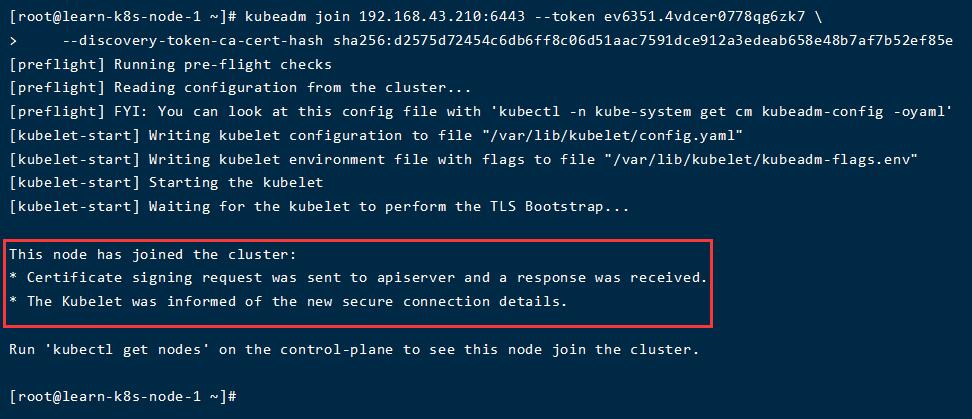
[root@learn-k8s-node-1 ~]# kubeadm join 192.168.43.210:6443 --token ev6351.4vdcer0778qg6zk7 \
>     --discovery-token-ca-cert-hash sha256:d2575d72454c6db6ff8c06d51aac7591dce912a3edeab658e48b7af7b52ef85e
[preflight] Running pre-flight checks
[preflight] Reading configuration from the cluster...
[preflight] FYI: You can look at this config file with 'kubectl -n kube-system get cm kubeadm-config -oyaml'
[kubelet-start] Writing kubelet configuration to file "/var/lib/kubelet/config.yaml"
[kubelet-start] Writing kubelet environment file with flags to file "/var/lib/kubelet/kubeadm-flags.env"
[kubelet-start] Starting the kubelet
[kubelet-start] Waiting for the kubelet to perform the TLS Bootstrap...

This node has joined the cluster:
* Certificate signing request was sent to apiserver and a response was received.
* The Kubelet was informed of the new secure connection details.

Run 'kubectl get nodes' on the control-plane to see this node join the cluster.
docker tag registry.cn-hangzhou.aliyuncs.com/ccgg/metrics-scraper:v1.0.4 kubernetesui/metrics-scraper:v1.0.4 docker tag registry.cn-hangzhou.aliyuncs.com/ccgg/dashboard:v2.0.0 kubernetesui/dashboard:v2.0.0